
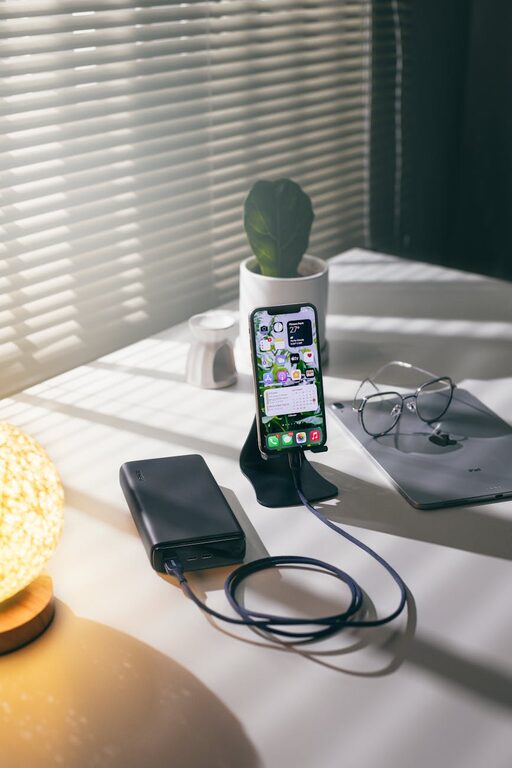
Setting up a dedicated charging station for your devices can help reduce clutter, keep your gadgets organized, and ensure that everything is always ready to go. Whether you have smartphones, tablets, wearables, or other electronic devices, a well-planned charging station makes daily life easier. In this guide, we’ll walk you through how to create an efficient charging station at home or in your workspace.
Why Create a Charging Station?
With multiple devices needing regular charging, cables and adapters can quickly become messy and misplaced. A charging station:
– Keeps your devices organized in one spot
– Eliminates tangled cables and clutter
– Protects devices from damage by providing a stable surface
– Saves time searching for chargers and outlets
Step 1: Choose the Right Location
Selecting the best spot for your charging station depends on convenience and safety.
– High Traffic Area: Common places include your desk, kitchen counter, or living room shelf.
– Near Power Outlet: Choose a location close to one or more electrical outlets to avoid long extension cords.
– Flat Surface: Ensure the area is stable and flat to keep devices secure.
– Away from Water: Keep electronics away from sinks, plants, or any liquids.
Step 2: Gather Your Charging Equipment
Before setting up, collect all the necessary components.
Essential Items:
– Power Strip or Multi-Port USB Charger: A multi-port USB charger can charge several devices simultaneously without overcrowding outlets.
– Charging Cables: Use the appropriate cables for each device (USB-C, Lightning, Micro-USB).
– Charging Stand or Dock: Optional but helpful for keeping devices upright and organized.
– Cable Management Tools: Velcro straps, clips, or cable sleeves help keep cords tangle-free.
– Storage Container or Tray: Holds smaller accessories like earbuds or extra adapters.
Step 3: Organize Your Devices
Identify which devices need regular charging and prioritize accordingly.
– Separate by Type: Group smartphones together, tablets in another area, and accessories like smartwatches or earbuds in a dedicated spot.
– Decide on Placement: Position most-used devices in the most accessible spots.
– Label Cables or Ports: Use labels or color-coded tags if multiple devices use similar cables.
Step 4: Set Up Cable Management
Cables can be a big source of clutter. Here’s how to keep them tidy:
– Shorten Cables: Coil excess cable length and secure with Velcro straps.
– Use Cable Clips: Attach clips to the edge of your desk or station to hold cables in place.
– Cable Sleeves or Tubes: Group multiple cables together for a clean look.
– Avoid Overlapping Cables: Arrange cables side by side rather than tangled.
Step 5: Arrange Your Charging Station
Now it’s time to put everything together.
- **Place the Power Strip or Charger:** Plug it into the nearby outlet. Consider mounting the power strip under the desk or behind furniture for a cleaner look.
- **Connect Devices:** Plug in your cables and connect devices to test power delivery.
- **Add Stands or Holders:** Use charging docks or stands to keep devices upright and easily accessible.
- **Store Accessories:** Keep smaller items like earbuds and adapters in a tray or small box within the station.
Step 6: Maintain Your Charging Station
Keep your setup neat and functional with these simple habits:
– Regularly Tidy Cables: Check cables for tangles or damage once a week.
– Remove Unused Chargers: Disconnect chargers and cables for devices you no longer use.
– Clean the Area: Dust and wipe down surfaces to avoid buildup.
– Update Equipment: Replace worn cables or upgrade chargers for faster, safer charging.
Bonus Tips for Efficient Charging Stations
– Use Smart Chargers: Some smart chargers can detect device types and optimize charging speed.
– Include Wireless Chargers: Wireless charging pads reduce cable clutter and make charging simple.
– Label Power Strips: Mark outlets on power strips to remember which is used for which device.
– Monitor Charging Times: Avoid overcharging by unplugging devices once fully charged.
Conclusion
Creating a charging station for your devices is a practical solution to staying organized and simplifying your daily routine. By carefully choosing your location, gathering the right equipment, managing cables, and maintaining your setup, you can keep all your devices charged and ready without the mess. Start small and adjust your station as your needs grow—soon, you’ll wonder how you ever managed without it!
—
With a dedicated charging station, you not only protect your devices but also reclaim your space. Happy charging!